A WordPress website can take months or even years to build. Losing it because of a server problem, failed update, malware attack, or simple mistake can be painful. A good backup gives you a way to restore your site without starting from scratch.
WordPress does not include a complete backup system by default, so you need a reliable backup plugin or another backup solution. The right plugin can automatically save your website files and database, store copies in a safe location, and make restoration easier when something goes wrong.
In this guide, we look at the best WordPress backup plugins and compare their key features, ease of use, backup options, and pricing to help you choose the right one for your website.
Why are backups important?
Backing up is an important practice every website owner should do regularly. Do you know why?
Bad things may happen anytime. Cybercriminals may hack your site, or a malware infection may cause it to go offline or be accidentally deleted, resulting in the loss of everything. If any of them happened, your website would disappear from cyberspace, affecting your online reputation, credibility, and profits.
Why are you taking chances?
Thanks to WordPress backup plugins. They can automatically back up your posts, database, and other files at regular intervals and store them in the cloud. So it will be easy for you to access and restore the entire data in 1-2-3 steps.
Backup Plugins: Essential Features
There are several WordPress backup plugins available online. But before installing, make sure it includes basic features and functionality to perform your backup operation as expected and restore the website without errors.
These are the essential features every backup plugin should possess.
1. Automated backups: Can it back up your website automatically on repeating schedules? So you can forget the part and concentrate on other productive tasks like content creation, marketing, etc.
2. Cloud storage integration: Does it integrate with leading cloud storage services like Dropbox, Google Drive, and Amazon S3? That way, you can access backup copies from anywhere to restore, migrate, and clone a website in a quick moment.
3. Speed: It should be able to back up your site by imposing less burden on the server and consuming fewer resources. Otherwise, page speed will slow down during the operation.
4. Support: Sometimes, backup and restore won’t work as expected. In such a situation, you need to contact plugin developers for support. Ensure your chosen plugin offers professional support and maintains a high response rate to resolve customer complaints promptly.
| Disclosure: Your support helps keep the site running! We earn a referral fee for some of the services we recommend on this page. |
Best WordPress Backup Plugins 2026
Here, we compiled a list of the best WordPress backup plugins on the market.
1. BlogVault
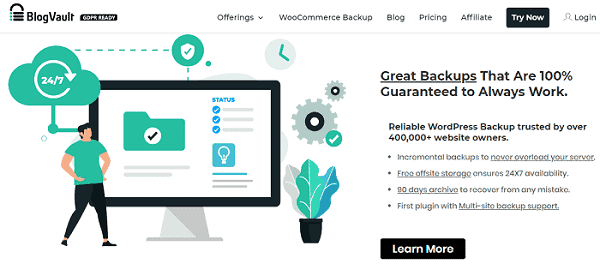
Looking for the most comprehensive backup solution to protect your website or online business? Then, BlogVault is the right choice. It is reliable and secure, offering many unique features to safeguard your WordPress data.
BlogVault backs up every corner of your site, including the database, posts, theme settings, plugin files, media, etc., and stores them on its own cloud servers. Thus, it ensures that your files are accessible 24/7, which can be restored anytime you need. It also allows you to save backup copies to other cloud storage accounts like Dropbox or Google Drive, or download them to local storage.
The pricing plans start at $149/year for one website.
Key Features
2. Solid Backups
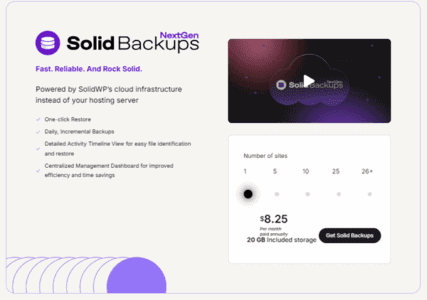
Solid Backups is an intelligent and powerful backup plugin for WordPress. It works as a subscription-based service, for which you pay $8.25/mo for one site and $16.58/mo for up to 5 sites per year.
Key Features
3. Duplicator Pro
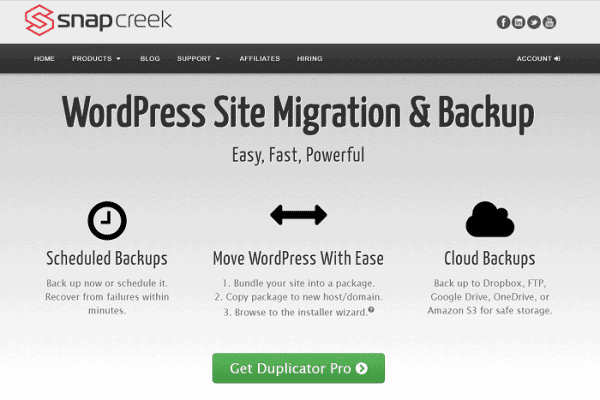
Duplicator Pro is one of the most powerful WordPress backup plugins for securing, migrating, or even cloning your website. It is a freemium product that can automate your maintenance tasks, saving you tons of time and eliminating rework.
Run Duplicator on your site to back up all installed themes, plugins, database, content, and other WordPress files in a zip format. Use it as a backup copy, for moving between different hosting servers, or to create a duplicate website. The plugin doesn’t contain any complex settings to configure.
In the premium version, it also allows you to automatically save outputs to popular cloud storage services like Dropbox, Google Drive, OneDrive, and Amazon S3. The pricing plans start at $49.50 per year for two websites.
Key Features
4. UpdraftPlus
UpdraftPlus is a free WordPress backup plugin with more than 3 million downloads. It lets you easily back up the entire site, including themes, plugins, content, and more, and restore it with a single click. You can exclude certain file types and directories from the backup if needed.
With UpdraftPlus, you can back up WordPress either manually or set up a schedule for automatic backup at a particular time. It is easy to configure, fast, and supports more cloud storage destinations than other free backup plugins.
Key Features
5. Jetpack Security

Jetpack Security is one of the best WordPress backup plugins. It is built by Matt Mullenweg, one of the co-founders of WordPress.
This is an all-in-one solution for website security, backup, and spam prevention. Jetpack scans your site for malware and removes it in one click. It also offers real-time backups and unlimited restores, starting at $9.95/mo.
Jetpack is a comprehensive WordPress security tool that includes brute-force protection, downtime monitoring, CDN, and more.
Key Features
6. JetBackup
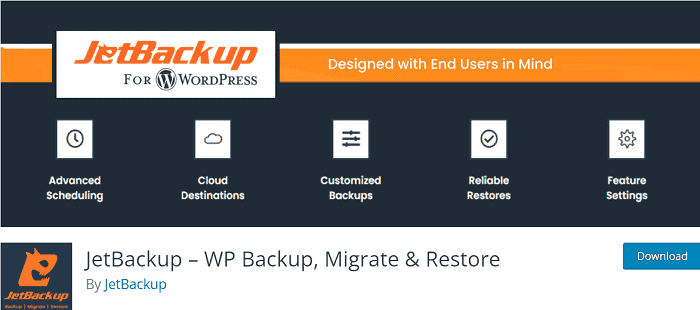
JetBackup is a simple, free backup plugin for WordPress. It lets you create backups as many times as you like and restore them quickly when the website is down.
Set a schedule to back up everything you need to run the online business smoothly. Save copies to Dropbox, FTP, or download them to your computer. It also offers a premium version that supports other cloud storage services like Google Drive, Amazon S3, and OneDrive for uploading.
Key Features
7. BackWPup

BackWPup is another free WordPress backup plugin. It can back up your entire WordPress installation and store it in cloud storage, a directory, on an FTP server, or on a local computer.
This plugin is easy to use and lightweight. BackWPup can back up your website in various formats, such as zip, tar, and tar.gz, and send the backup to your chosen destination or via email.
Key Features
8. WP Database Backup
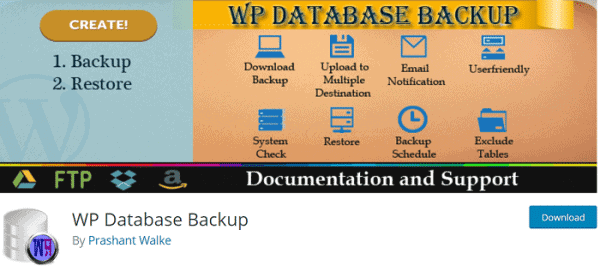
WP Database Backup is another simple backup-and-restore plugin for protecting your website. Run automated or manual backups to store your database securely and restore it easily.
The plugin helps you schedule multiple backups and send them to Google Drive, Dropbox, Amazon S3, FTP, or an email address. It is simple and easy to configure. So even beginners can use it to secure the database and ensure the website runs without interruption.
Key Features
9. WPvivid Backup Plugin
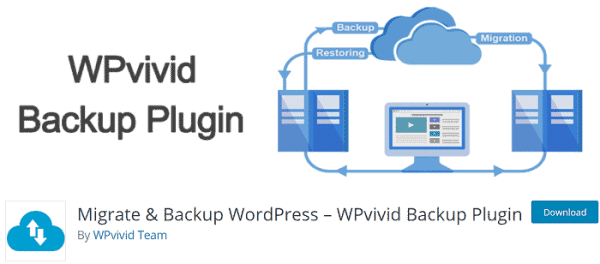
WPvivid Backup Plugin can back up, restore, and migrate your WordPress website to a new destination. It will back up both your database and files on a repeating schedule—hourly, daily, weekly, and monthly basis.
Just install and configure the plugin. It will do the rest. Create backup schedules, exclude directories if any, and you are done. WPvivid Backup supports leading cloud storage services like Dropbox, Google Drive, Amazon S3, OneDrive, and DigitalOcean to automatically save your backup copies. It also allows you to migrate the website to a new host or domain in one click.
Key Features
You may also be interested in these posts ↴

