YouTube is the world’s largest entertainment hub for watching movies, songs, and other videos. If you want to watch any nostalgic song or a thrilling movie scene, search on YouTube. It will show hundreds of results that match your query. Open a link, and it will automatically start playing your favorite video on the screen.
Like playlists on music players, you can create a YouTube playlist. Do you know that? It will play your favorite videos one by one automatically without any user action.
A YouTube playlist is an interesting feature that lets you organise similar videos under one heading and play them continuously in a desktop browser or YouTube app. Today, we’ll tell you how to create a YouTube music playlist easily.
Creating a YouTube Music Playlist
Visit YouTube and open a video you want to add to a playlist.
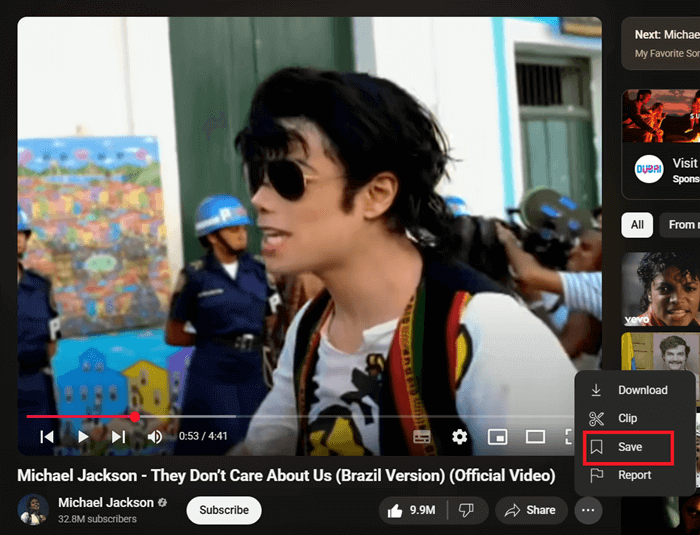
Click the ‘Save’ option on the bottom right side. Now it will show existing playlists on your account. Tap Create a new playlist to create a new playlist.
Enter a name (eg, my favorite songs). Set its privacy as public, unlisted, or private.
Anyone can search for and view a public playlist. However, a private playlist can only be viewed by the creator.
An unlisted playlist sits between the two, and anyone with the link can view it. Finally, click on Create to save your new playlist.
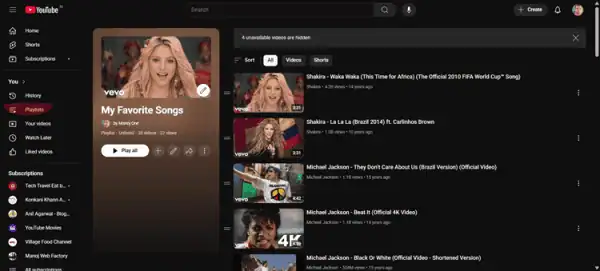
Open your playlist in the left pane (under Library), then click Play All to play your videos in order. Click ‘Add videos’ to add new videos to the list.
Tap playlist settings to manage your playlist privacy, change order, add collaborators, and set rules to automatically add new videos to your list.
Creating Playlists on YouTube Channels
Do you have a YouTube channel? Wants to know how to create a playlist to showcase your trending videos? Follow these steps to create a playlist of videos in a few moments.
Click on your profile picture icon from the top-right corner of your YouTube screen.
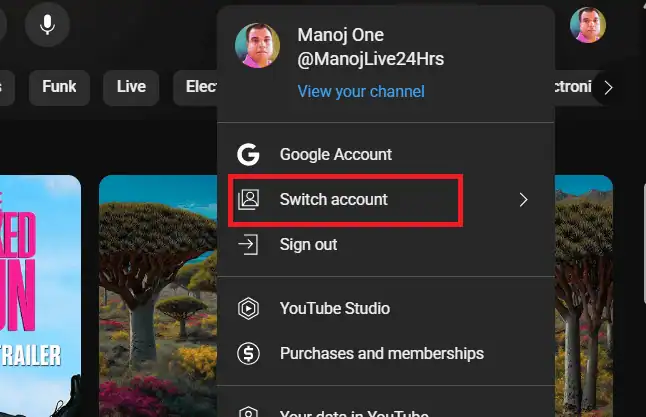
Click the ‘Switch Account’ option and choose your channel from the list. You are now on the home screen of your channel.
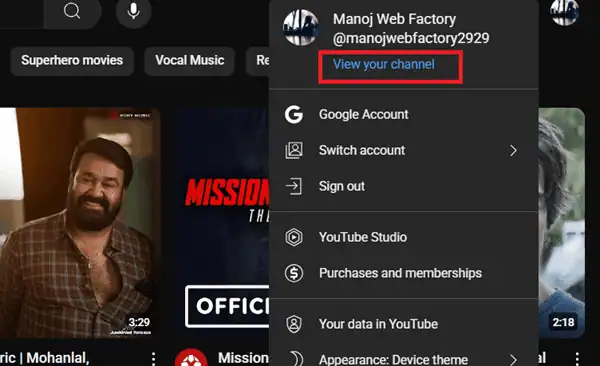
Click the profile picture icon again and select ‘view your channel’ from the menu. Now, you should see a screen like this.
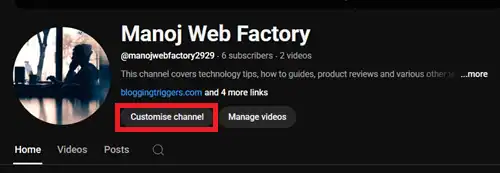
Click on Customize channel. This will redirect you to YouTube Studio. On the top-right side, you will see a button called Create.
Tap it.
Select ‘New playlist’ from the list.
A box will open with options to create a playlist.
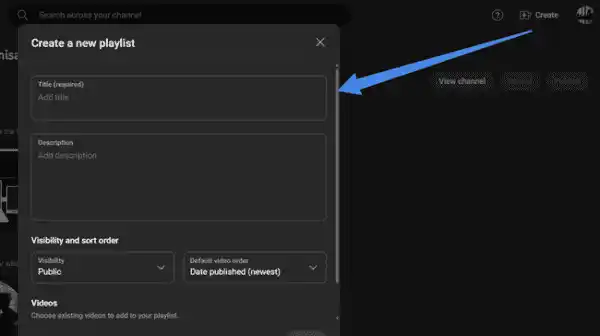
Enter a name and description for your playlist. Scroll down and click on Add videos to select videos.
Finally, hit the Create button to save and publish.
Finding Popular YouTube Playlists
We all know that YouTube is one of the most popular online sites. More than 2 billion users visit Google’s video-sharing platform every month. Naturally, many of them would have created a collection of videos based on different topics. Let us check how to find them easily,
Search with any keyword like ‘Funny videos’, ‘history’, ‘Hollywood deleted scenes’, etc. Don’t forget to add ‘playlist’ at the end of your search term.
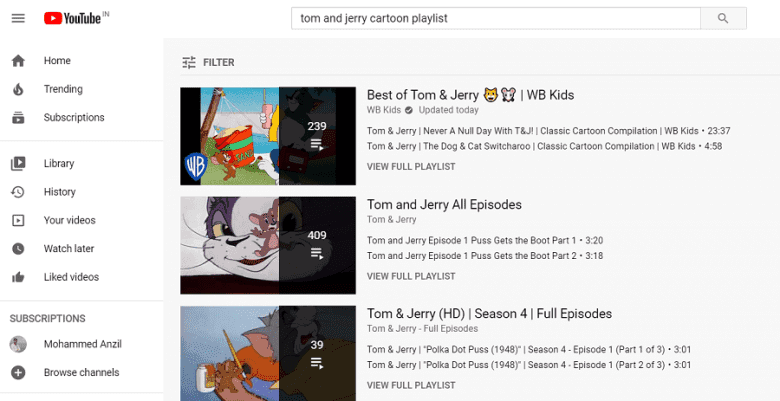
Open a playlist and even save it to your account to watch later.
YouTube is a great place to find videos and playlists on any topic. Search for “your keyword + playlist” to find a playlist and play videos automatically one after another.
You may also be interested in these posts ↴